 WenHaoFree
Android Subscription Guide for Claude Pro: Complete Google Pay Steps

You will learn:
- How to find the subscription entry point in the Android app
- The complete Google Play payment process
- How to verify a successful subscription
- Methods to activate Claude Code access
- Subscription management and cancellation steps
What is Claude Pro?
Claude Pro is the premium subscription plan for Anthropic’s Claude AI assistant. Subscribers get higher usage limits, Claude Code access, priority access to new features, and a longer context window. It supports both monthly ($20/month) and annual ($200/year) payments, which can be subscribed to via the Web or the Android app. The advantage of Android subscription is that you can pay using your Google Play balance or gift cards.
This article details how to subscribe to the Claude Pro plan via Google Play on Android devices.
Subscription Steps
1. Download and Log In to the App
- Download the Claude app from the Google Play Store
- Log in to Claude using your email or Google account
2. Start Subscription Process
- Open the Claude Android app
- Tap the avatar icon (your initials) in the top right corner
- In the settings page, tap “Upgrade to Pro”
3. Select Subscription Plan
- Choose Monthly ($20/month) or Yearly ($200/year, approx. $17/month)
- Review subscription details and included features
4. Complete Payment
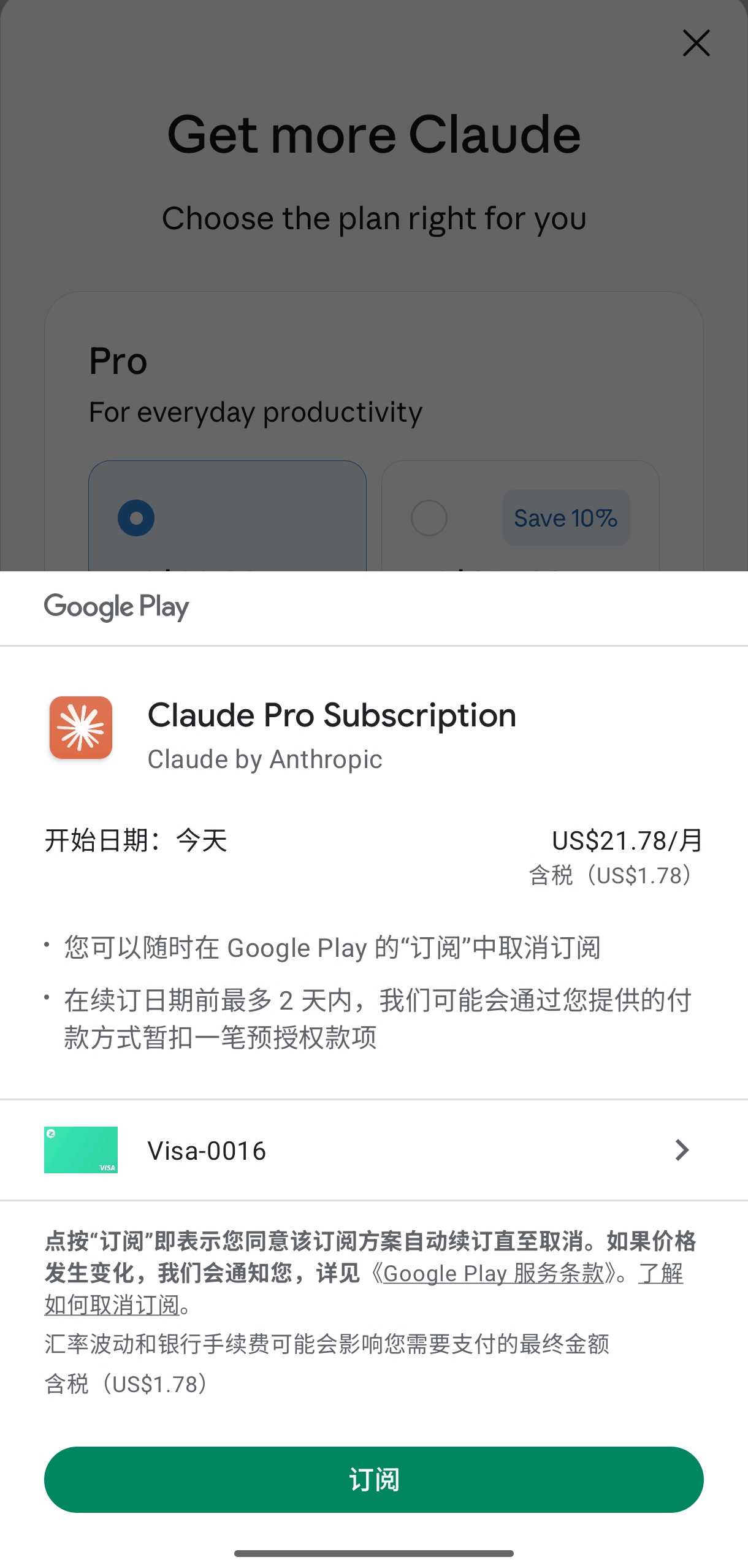
- The system will redirect to the Google Play payment interface
- Select Google Pay as the payment method (if you have set it up in Google Play)
- Confirm payment information and subscription details
- Tap “Subscribe” or “Buy” to complete the transaction
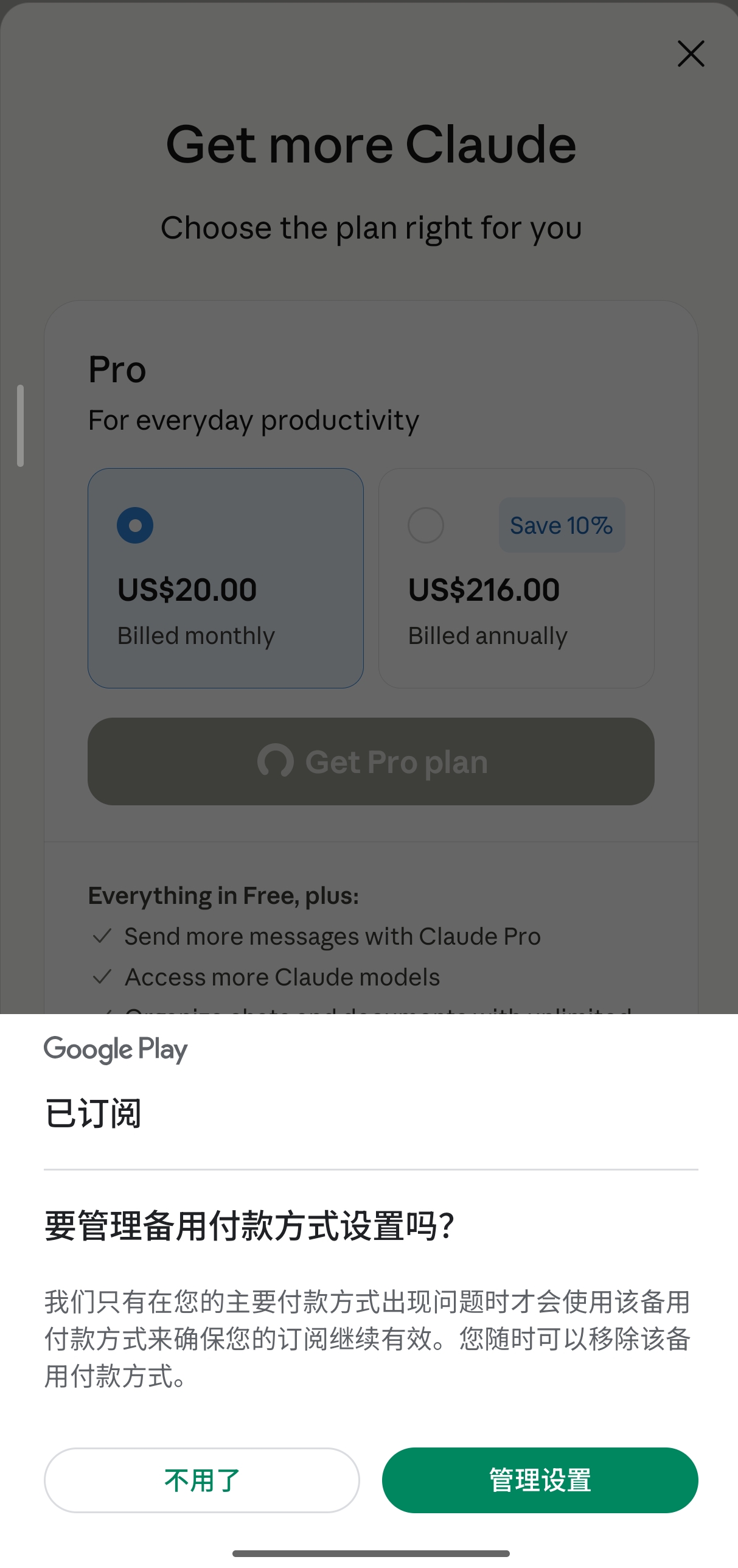
5. Confirm Subscription
- Once subscribed successfully, you will receive a confirmation message
- Return to the Claude app, and Pro features will be active immediately
- Claude Code access will also be activated simultaneously
Important Notes
About Claude Code
- Pro subscription now includes access to Claude Code
- You can use Claude Code in the terminal for programming tasks
- The Claude Code command-line tool needs to be installed separately
Payment Management
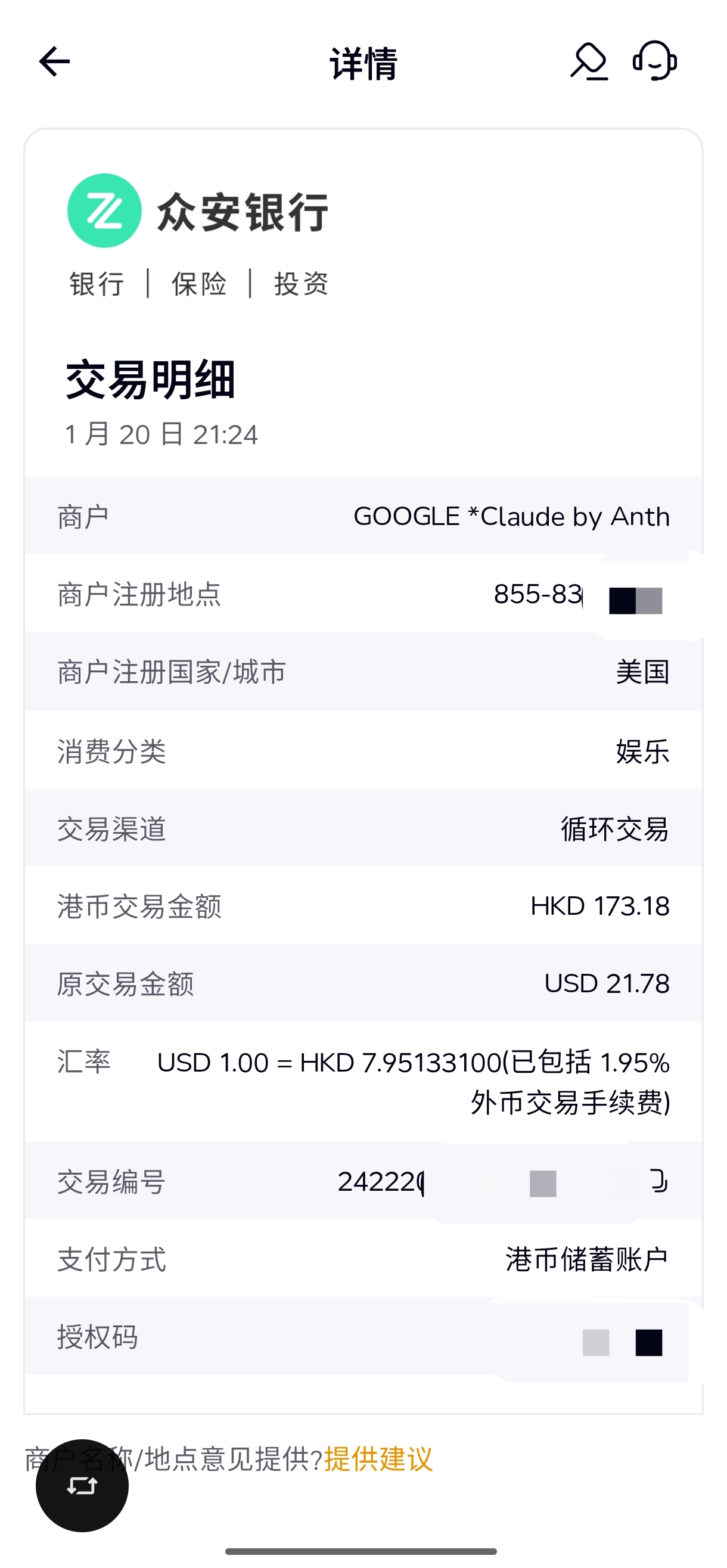
- All payments subscribed via the Android app are handled by Google Play
- To manage or cancel your subscription, go to Avatar → Billing → Manage subscription in the app
- You can also operate directly in the Google Play Store’s subscription management
Account Matching
- Ensure your Claude account email matches your Google account email to avoid synchronization issues
Subscription Benefits
Upon subscribing, you get all features of the Pro plan:
- Higher usage limits
- Claude Code access
- Priority access
- Model selector
- Longer context window
FAQ
Q1: What is the difference between Android subscription and Web subscription?
A: The features are identical. The main difference lies in the payment method:
- Android Subscription: Charged via Google Play, allowing use of Google Play balance, gift cards, or linked payment methods
- Web Subscription: Paid directly via credit card
Both subscription methods grant identical account benefits, including Claude Code access.
Q2: How soon can I use Claude Code after subscribing?
A: It is effective immediately upon successful subscription. However, Claude Code must be installed separately on your computer:
- Visit Claude Code Official Site to download
- Log in with the same account used for the subscription
- Start using the command-line version of Claude
For detailed installation steps, refer to Claude Code Skills Complete Guide.
Q3: How do I cancel my subscription to avoid auto-renewal?
A: There are two ways to cancel:
Method 1: Cancel within the Claude App
- Open the Claude app
- Tap the avatar in the top right corner
- Select Billing → Manage subscription
- Tap Cancel Subscription
Method 2: Cancel in Google Play
- Open the Google Play Store app
- Tap your avatar in the top right → Payments & subscriptions → Subscriptions
- Find Claude Pro and tap Cancel subscription
You can still use the service until the current billing cycle ends after cancellation.
Q4: Can I use Google Play Family Sharing?
A: Not supported. The Claude Pro subscription is tied to an individual account and does not support Google Play Family Sharing features. Each user needs a separate subscription.
Q5: Is the annual plan cheaper than the monthly plan?
A: Yes, the annual plan is more cost-effective:
- Monthly: $20/month × 12 = $240/year
- Annual: $200/year
The annual plan is equivalent to $16.67/month, saving approximately 17% ($40/year) compared to the monthly plan. If you plan to use it long-term, the annual plan is recommended.
Q6: What if subscription fails or payment errors occur?
A: Common solutions:
- Check Payment Method: Ensure the linked Google Play payment method has sufficient balance
- Update App: Ensure you are using the latest version of the Claude app
- Clear Cache: Settings → Apps → Claude → Clear Cache
- Contact Support: Visit support.anthropic.com to submit a ticket
Related Tutorials
Want to unlock the full potential of Claude Pro? We recommend reading the following tutorials:
- Claude Code Skills Complete Guide - Understand the modular extension mechanism of Skills
- Claude Agent SDK Tutorial - Build custom AI Agent workflows
- OpenCode Installation Guide - Another powerful AI coding CLI tool
- Antigravity UI Design Guide - Rapidly build pages with AI assistance